
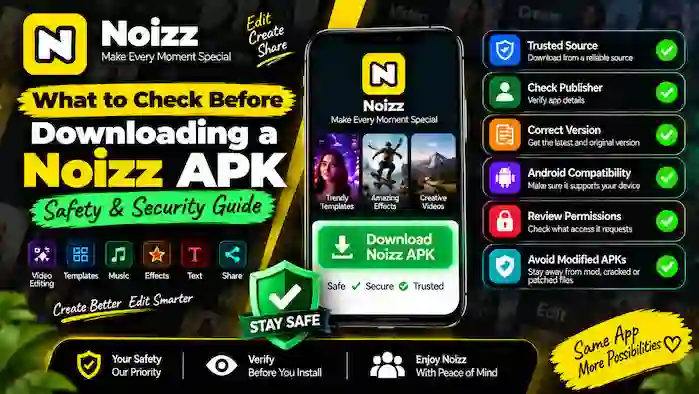
Before downloading any Android application package, it’s important to know what you’re actually installing. If you’re searching for a safe Noizz APK download, checking the file, source, compatibility, and permissions can help you make a more informed decision.
An APK is simply the package format Android uses to distribute and install applications. The format itself does not guarantee that a file is safe. The most important factors are where the file came from, whether it is authentic, whether it matches your device, and whether it has been modified.
This Noizz APK safety guide explains the main things to check before installing an APK so you can avoid suspicious files and reduce unnecessary security risks.
What Is Noizz APK Safety?
Noizz APK safety means evaluating an APK before installing it on an Android device.
A safe installation starts with several checks:
- Source reliability
- Publisher information
- Application version
- Android compatibility
- File authenticity
- Requested permissions
- Security warnings
- Signs of modification
You should never assume that an APK is safe simply because its filename contains “Noizz” or because a website describes it as the latest version.
1. Check the APK Source
The source is one of the most important things to consider before downloading an APK.
Prefer legitimate and trustworthy distribution channels whenever they are available. If an official application listing provides the app for your device, that is generally easier to verify than an unknown third-party download page.
Be cautious with websites that make exaggerated claims such as:
- “Premium unlocked”
- “Everything free”
- “Mod APK”
- “Cracked version”
- “Patched version”
- “Unlimited features”
Such descriptions can indicate that the application package has been modified.
If you cannot establish where an APK came from, it is better not to install it.
2. Verify the Application Name and Publisher
Don’t rely only on the application logo or filename.
Before downloading, compare the available application information with a legitimate listing or publisher information.
Check:
- Application name
- Publisher/developer information
- Logo and branding
- Version information
- Application description
A suspicious website may copy the branding of a legitimate application to make an unrelated file appear genuine.
3. Check the Noizz APK Version
The version number is another important detail.
A download page may claim to provide the Noizz latest version, but the label alone doesn’t prove that the package is current or authentic.
Compare the version information with reliable application information whenever possible.
Also remember that the newest version may not be compatible with every Android device.
An older APK should not automatically be considered safer. Outdated software can lack current bug fixes, compatibility improvements, and security updates.
4. Check Android Compatibility
Before downloading an APK, determine whether the version is appropriate for your Android device.
Consider:
- Android operating-system version
- Device model
- Application requirements
- APK version
- Available storage
An incompatible APK can fail to install or cause problems after installation.
If an APK claims to support every Android version without providing meaningful compatab 132 characters ki meta description write kro is page ki jo k is page focus keyword sy start ho geibility information, treat the claim cautiously.
5. Avoid Modified Noizz APK Files
One of the most important Noizz APK security rules is to be cautious with modified packages.
Modified APKs can contain changes that aren’t present in the original application.
Examples include packages advertised as:
- Modded
- Cracked
- Patched
- Premium unlocked
- Hacked
You cannot reliably determine what changes have been introduced into an unknown modified package.
If your goal is simply to use Noizz for video editing, there is usually little reason to take additional risks with an unofficial modified version.
6. Review the Requested Permissions
Android permissions control access to different device resources.
A video editing application may reasonably need access to photos or videos so you can import media into your projects.
However, you should still review permission requests carefully.
Ask:
Does this permission make sense for the feature I’m trying to use?
If an application requests access that seems unrelated to its purpose, investigate further before granting it.
Android versions also provide different permission controls, so the exact options can vary between devices.
7. Pay Attention to Android Security Warnings
Android may display a warning when you attempt to install an application from outside its normal trusted distribution process.
Don’t automatically bypass a warning just to complete the installation.
Instead:
- Read the warning.
- Check where the APK came from.
- Verify the application information.
- Consider whether the file is necessary.
- Stop if you cannot establish that the package is trustworthy.
Security warnings are there to help you make an informed decision.
8. Check the File Before Installation
Before opening an APK, examine the file itself.
Look for obvious warning signs such as:
- Unexpected filename
- Unusual version information
- Suspicious download source
- Multiple unexplained packages
- Claims that don’t match the application
- A file that appears incomplete or corrupted
Don’t open files that you did not intentionally download.
If a website automatically downloads additional files without clearly explaining them, leave the page rather than installing them.
9. Be Careful With “Latest Version” Claims
Many APK websites use phrases such as Noizz latest version to attract visitors.
However, “latest” is only useful when the version can be verified.
A trustworthy approach is to compare:
Claimed version → Legitimate application information → Android compatibility
If the numbers or application details don’t match, don’t assume the third-party package is genuine.
10. Check the Download Page Carefully
The page hosting an APK can provide useful clues about its reliability.
Before downloading, look for:
- Clear application information
- Version details
- Developer or publisher information
- Android requirements
- Transparent file information
- Clear download controls
Be cautious if the page contains numerous misleading download buttons, aggressive pop-ups, automatic downloads, or claims about unrelated software.
A professional-looking website alone does not prove that an APK is authentic.
11. Don’t Trust Fake Download Buttons
Some download pages contain several buttons that appear to offer the application but actually lead to advertisements or unrelated files.
Before selecting anything, check the button and destination carefully.
If clicking a button starts an unexpected download or redirects you to an unrelated website, stop the process.
A safe download experience should make it reasonably clear what file you’re obtaining.
12. Check Available Storage
Security isn’t the only consideration.
Your phone also needs enough storage for the APK and the installed application.
Noizz is a video editing application, so you may need additional storage for:
- Photos
- Videos
- Editing projects
- Temporary files
- Cached content
- Exported videos
A nearly full device can create installation and export problems.
13. Keep Android Updated
Your Android operating system is an important part of your overall security.
Whenever possible, keep your device updated with available system and security updates.
An updated operating system can provide improvements that help protect your device while using applications.
An APK cannot replace the security protections provided by the Android operating system.
14. Keep Your Important Files Backed Up
Before making significant changes to your applications, make sure important photos, videos, and exported projects are stored safely.
This is especially useful if you’re experimenting with different application versions.
A backup gives you an additional layer of protection if an installation causes unexpected problems.
15. Be Cautious With Older APK Versions
Some users search for older APK versions because their Android phone may not support a newer release.
An older version may sometimes be compatible with an older device, but there are trade-offs.
Older versions can lack:
- New features
- Bug fixes
- Compatibility improvements
- Security improvements
If you genuinely need an older version, verify its source and compatibility rather than downloading the first old APK you find.
16. Don’t Install Multiple Unknown APKs
If the first APK doesn’t work, downloading several random versions isn’t a good troubleshooting strategy.
Every additional unknown package creates another opportunity for an unwanted or modified application to reach your device.
Instead, determine why the original installation failed.
Check:
- Android compatibility
- Storage
- File integrity
- Application requirements
- Source reliability
Then make a decision based on verified information.
17. Understand APK vs Official Installation
When available and compatible with your device, an official application distribution method is generally easier for most users.
It can simplify:
- Installation
- Application verification
- Updates
- Compatibility checks
- Application management
Manual APK installation gives users more control over the package but also requires more responsibility.
You need to verify the source and package yourself.
18. What Makes a Safe Noizz APK Download?
A safe Noizz APK download should meet several basic conditions.
Ideally, you should be able to identify:
Trusted Source + Legitimate Publisher + Compatible Version + Clear File Information + Reasonable Permissions
If one of these elements is unclear, stop and investigate before installing.
There is no need to rush an application installation.
Noizz APK Security Checklist
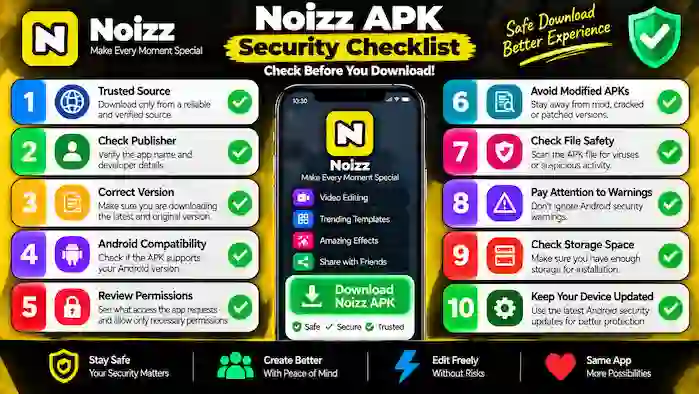
Use this quick checklist before opening an APK:
Source
Is the file from a source you trust?
Publisher
Can you verify the application’s publisher or developer?
Version
Does the version information make sense?
Compatibility
Does it support your Android device?
Permissions
Are the requested permissions relevant?
Modifications
Is it advertised as modified, cracked, patched, or unlocked?
Security Warning
Does Android display a warning?
File
Does the file match what you intentionally downloaded?
If several answers are unclear, don’t install the package.
Common Noizz APK Safety Mistakes
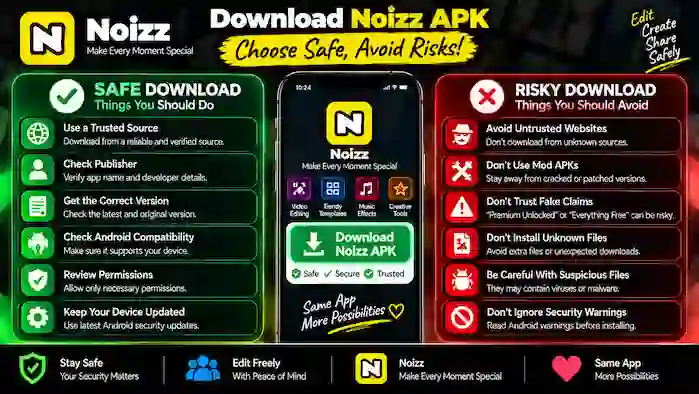
Mistake 1: Choosing the First Search Result
Search ranking doesn’t guarantee that a download is authentic.
Mistake 2: Trusting “100% Safe” Claims
A website’s claim is not proof of safety.
Mistake 3: Installing a Modded APK
Modified packages introduce additional uncertainty.
Mistake 4: Ignoring Permissions
Permissions should be reviewed rather than automatically approved.
Mistake 5: Ignoring Android Warnings
Security warnings should be investigated.
Mistake 6: Using an Outdated Version Without a Reason
Older software may lack important improvements.
Mistake 7: Downloading From Misleading Pages
Fake download buttons and unexpected redirects are warning signs.
What If the APK Looks Suspicious?
If something about the APK or download page doesn’t look right, the safest choice is to stop.
You don’t need to continue just because the download has already started.
If possible, remove an unwanted file without opening it and use a legitimate application distribution method instead.
If you’ve already installed an application and notice unexpected behavior, avoid granting additional permissions and consider seeking help from a trusted adult or qualified technical professional.
What If Noizz APK Won’t Install?
An installation failure doesn’t automatically mean that you need another APK.
First check:
- Android compatibility
- Available storage
- APK file integrity
- Application version
- Installation source
- Android security messages
If the file is incompatible or suspicious, don’t keep trying different unknown packages.
Safe Noizz APK Download: Quick Checklist
Before downloading, ask yourself:
- Is the source trustworthy?
- Can I verify the publisher?
- Is the version identifiable?
- Is my Android version compatible?
- Is the file unmodified?
- Are the permissions reasonable?
- Does Android show a security warning?
- Do I actually need an APK instead of the normal installation method?
If you cannot answer these questions confidently, reconsider the download.
Frequently Asked Questions
What should I check before downloading a Noizz APK?
Check the source, publisher, version, Android compatibility, file information, permissions, and any security warnings before installing.
Is Noizz APK safe?
The APK format itself is not a guarantee of safety. Safety depends on the authenticity of the particular package, its source, compatibility, and whether it has been modified.
How can I find a safe Noizz APK download?
Prefer legitimate distribution channels whenever available. If you use an APK, verify the source, publisher, version, compatibility, and package information before installing.
Are modified Noizz APKs safe?
Unknown modified, cracked, patched, or unlocked APKs should be avoided because you cannot reliably verify what changes have been made to them.
Should I download the Noizz latest version?
Use a current compatible version from a trustworthy source whenever possible. Don’t rely solely on a third-party website’s claim that its file is the “latest version.”
Are older Noizz APK versions safe?
An older APK isn’t automatically unsafe, but it may lack current security and compatibility improvements. Only consider an older version when there is a legitimate reason and the source can be verified.
Why does Android show a security warning for an APK?
Android can display warnings when an application comes from outside its normal trusted distribution process. Read the warning and verify the file before deciding whether to continue.
Should I trust an APK website that says “100% safe”?
No. A website’s safety claim isn’t enough by itself. Evaluate the source, package, publisher, version, permissions, and Android warnings.
What permissions should I check?
Review permissions related to the application’s functionality. For a video editing application, access to photos or videos may be relevant for importing media.
What should I do if a Noizz APK looks suspicious?
Don’t install it. Verify the source or use a legitimate application distribution method instead.
Final Thoughts
A safe Noizz APK download starts with careful verification rather than simply finding the fastest download button.
Before installing, check the source, publisher, version, Android compatibility, file information, permissions, and security warnings. Be especially cautious with modified, cracked, patched, or unlocked packages because their contents cannot be reliably verified.
If Noizz is available through a legitimate distribution channel for your device, that option is generally simpler for installation and future updates.
For users who have a legitimate reason to use an APK, the most important principle is simple: verify before you install.
Taking a few extra moments to check an APK can help you avoid compatibility problems, suspicious files, and unnecessary security risks.