
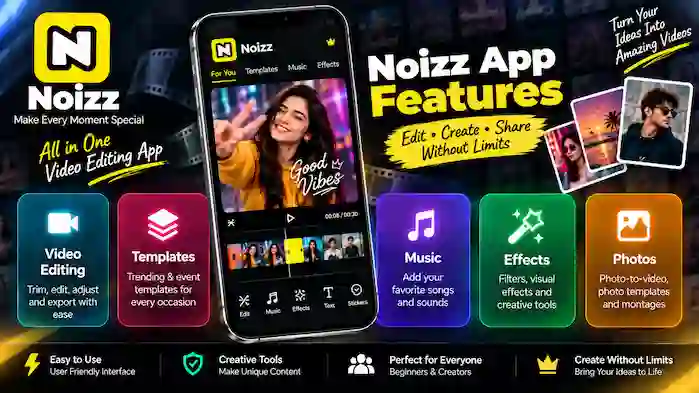
Noizz App Features are designed around quick and creative mobile content creation. Instead of requiring users to build every video element manually, the app focuses on tools and creative options that can help turn photos and video clips into engaging content.
From video editing tools and templates to music, effects, filters, and photo-to-video creation, Noizz provides different ways to customize short videos and visual projects.
Whether you want to create a music-based video, combine several photos into a montage, apply creative effects, or start with a ready-made template, understanding the main Noizz App features can help you choose the right editing workflow.
Noizz App Video Editing Features
Video editing is one of the core areas of Noizz. The editing workflow is designed for users who want to work with video clips and create short-form content without dealing with an overly complicated professional editing environment.
Depending on the available version, users may be able to combine clips, adjust their projects, add creative elements, and prepare the finished video for export.
Video Editing Tools
Basic video editing tools can help you organize and customize your project.
A typical editing workflow may include:
- Selecting video clips
- Arranging clips
- Trimming unwanted portions
- Adjusting the project
- Adding music
- Applying effects
- Adding text or other creative elements
- Previewing the final result
- Exporting the finished video
The exact tools and interface can vary between application versions and devices.
Basic Adjustments
Basic adjustments are useful when your original clips need simple changes before being included in a project.
Depending on the available editing tools, you may be able to make adjustments to elements such as timing, clip order, visual appearance, or other basic settings.
The goal is to make everyday editing quicker without requiring advanced video-production knowledge.
Video Export
After completing an edit, the final step is exporting the project as a video.
Before exporting, it is a good idea to preview the entire project and check:
- Video order
- Transitions
- Music
- Text
- Effects
- Overall timing
Available export quality and format options can depend on the current application version and device.
Noizz App Templates
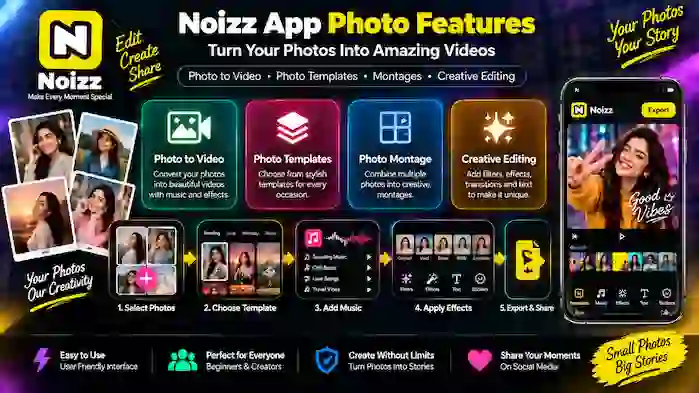
Templates are another important part of the Noizz App Features experience.
Instead of creating a video from an empty project, a template can provide a predefined creative structure. Users can then add their own photos or clips and customize the available elements.
This approach is particularly useful for beginners.
Video Templates
Video templates can combine visual transitions, timing, effects, and other creative elements into a ready-made format.
For example, rather than manually creating a slideshow from several photographs, you can start with a suitable template and replace the sample content with your own media.
This can significantly reduce the amount of manual editing required.
Trending Templates
Creative trends can change quickly, and template-based editing can make it easier to experiment with different video styles.
Trending templates may be useful for users who want their content to follow popular editing patterns or visual formats.
However, template availability can change over time, so the options displayed in the app may not always be the same.
Event Templates
Templates can also be useful for specific occasions.
Examples include:
- Birthday videos
- Travel memories
- Celebrations
- Family events
- Personal photo collections
- Special moments
An event template can provide a starting point while allowing users to add their own images and clips.
Noizz App Music Features
Music can make a significant difference to the overall feel of a short video.
Noizz’s creative workflow can combine visual content with audio so users can create music-based videos from photos or video clips.
Add Music to Videos
Adding music can help connect individual photos and clips into one continuous project.
A simple workflow is:
Select media → Choose a suitable audio option → Adjust the project → Preview → Export
The available music library and audio options can vary according to the application version, region, and licensing arrangements.
Sound and Audio
Audio can be used to support the mood of a video. A travel montage, celebration video, or personal photo project may each benefit from a different type of sound.
When publishing content publicly, users should also consider music licensing and copyright. Use audio that you have the right to use rather than assuming that every available song can be used for unrestricted commercial or public content.
Music-Based Videos
Combining photographs with music is one of the simplest ways to create a short visual story.
For example, a collection of travel photos can be arranged into a montage and synchronized with suitable background audio. Similarly, several event photographs can be turned into a short celebration video.
This makes music-based editing particularly useful for social-media-style content.
Noizz App Effects
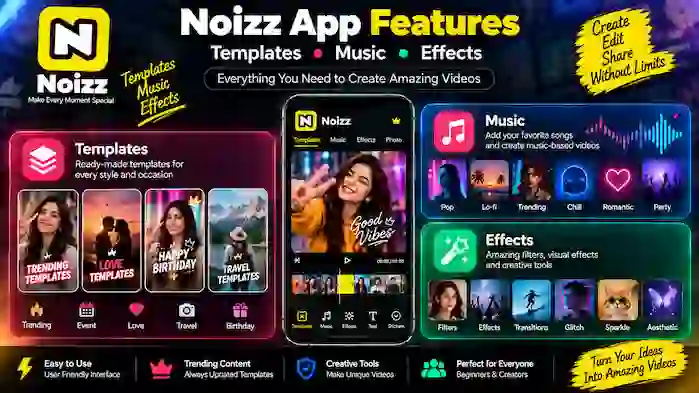
Creative effects allow users to change the visual appearance of photos and videos.
Effects can be used to make a simple project look more dynamic without requiring advanced manual editing.
Filters
Filters can alter the overall appearance or mood of a photo or video.
A filter may help create a particular visual style while keeping the editing process simple.
When using filters, subtle adjustments can often work better than applying too many different visual effects to the same project.
Visual Effects
Visual effects can add movement, transitions, or other creative elements to a video.
They can be particularly useful for short-form content where visual changes help maintain viewer interest.
The exact effects available depend on the current version of the application.
Creative Effects
Creative effects are useful when the goal is to produce something more stylized than a standard video.
Users can experiment with different effects and combine them with templates, music, and photographs to create a distinctive project.
However, effects should support the content rather than overwhelm it. A simple project can sometimes look better when only a few complementary effects are used.
Noizz App Photo Features
Photos are another major part of the Noizz editing workflow.
Instead of keeping photographs as individual images, users can combine them into a video, montage, or template-based project.
Photo-to-Video
The photo-to-video feature is useful for turning a group of photographs into a short video.
A typical workflow looks like this:
- Select your photos.
- Arrange or add them to a project.
- Choose a suitable template or style.
- Add music if desired.
- Apply effects or transitions.
- Preview the project.
- Export the finished video.
This can be useful for travel memories, celebrations, family events, and personal photo collections.
Photo Templates
Photo templates provide a structured way to present multiple images.
Instead of displaying several photographs separately, a template can combine them into a visually connected design.
This is particularly useful when you want to create a quick social-media-style visual without manually designing the entire project.
Photo Montage
A photo montage combines multiple photographs into one creative presentation.
For example, you could select photographs from a particular event and arrange them into a single project. Music, transitions, and effects can then be added to create a more dynamic result.
The number of photos and available montage styles can vary depending on the current application version.
How Noizz App Features Work Together
The individual features become more useful when combined.
For example, a photo-to-video project can use:
Photos + Template + Music + Effects + Export
A user can begin with several photographs, choose a template, add appropriate audio, apply a few visual effects, preview the result, and then export the completed video.
Similarly, a video project could use:
Video Clips + Basic Editing + Music + Filters + Effects + Export
This gives users different workflows depending on the type of content they want to create.
Best Features for Beginners
If you’re new to mobile video editing, you don’t need to use every feature at once.
A simple starting workflow is:
Start With Photos
Choose a small collection of photographs that belong to the same event or theme.
Choose a Template
Select a template that matches your content.
Add Music
Choose suitable audio where available and appropriate.
Use One or Two Effects
Experiment with filters or visual effects without making the project overly complicated.
Preview and Export
Watch the complete video before exporting it.
This approach allows beginners to learn the main features gradually.
Noizz App Features for Different Projects
Different types of content can benefit from different combinations of features.
| Project Type | Recommended Features |
| Travel video | Photos + Templates + Music |
| Birthday video | Event Templates + Photos + Music |
| Short social video | Video Editing + Effects + Music |
| Photo montage | Photos + Photo Templates + Effects |
| Personal memories | Photos + Music + Transitions |
| Creative video | Templates + Effects + Music + Video Clips |
The best combination depends on the media you have and the type of result you want.
Things to Consider When Using Noizz Features
Although creative tools can make editing easier, a few considerations are important.
Feature Availability
Features can change between application versions. A tool shown in an older tutorial may not appear exactly the same in a newer version.
Device Performance
Video editing can require more processing power and storage than basic applications. Large projects may take longer to process or export on less powerful devices.
Internet Connection
Some templates, music, or other online resources may require an internet connection.
Storage
Keep enough free storage available for source photos, video clips, temporary editing files, and exported projects.
Copyright
When adding music or other third-party creative material, make sure you have the appropriate rights for your intended use.
Noizz App Features FAQs
What are the main Noizz App Features?
The main feature categories include video editing, templates, music, effects, and photo-based editing such as photo-to-video and montage creation.
Can Noizz create videos from photos?
Photo-to-video editing is one of the key workflows associated with the app. Users can combine photographs with templates, music, effects, and other creative elements.
Does Noizz have video templates?
Templates are an important part of the editing experience and can provide ready-made structures for creating short videos.
Can I add music to a Noizz video?
Music can be part of a video project where the current version provides the relevant audio features. Available audio may vary by region and licensing.
What effects are available in Noizz?
The available effects can change between versions. Creative options may include filters, visual effects, transitions, and other stylistic tools.
Can I make a photo montage?
Yes, photo-based projects can be combined into montage-style videos or presentations using available templates and editing tools.
Are Noizz features suitable for beginners?
The template-oriented workflow can be useful for beginners because it provides a starting structure instead of requiring every element to be created manually.
Can I export edited videos?
Completed projects can generally be prepared for export using the options supported by the current application version and device.
Final Thoughts
Noizz App Features cover several important areas of mobile content creation, including video editing, templates, music, effects, and photo editing.
The biggest advantage of combining these tools is flexibility. You can start with photographs and turn them into a music-based video, use a ready-made template for an event, apply creative effects to a clip, or build a simple montage from your favorite images.
For beginners, the easiest approach is to start with a small project, experiment with templates and music, and gradually explore additional effects and editing tools. Feature availability can change with application updates, so always refer to the current version of the app when following a specific workflow.